 Sticky Brain
Your tasks, on paper.
Your brain, attached.
Sticky Brain is a kanban board of collapsible sticky notes. Each note is markdown, grounded in your Obsidian vault, enriched from your mail and calendar, and read by Claude — with one button.
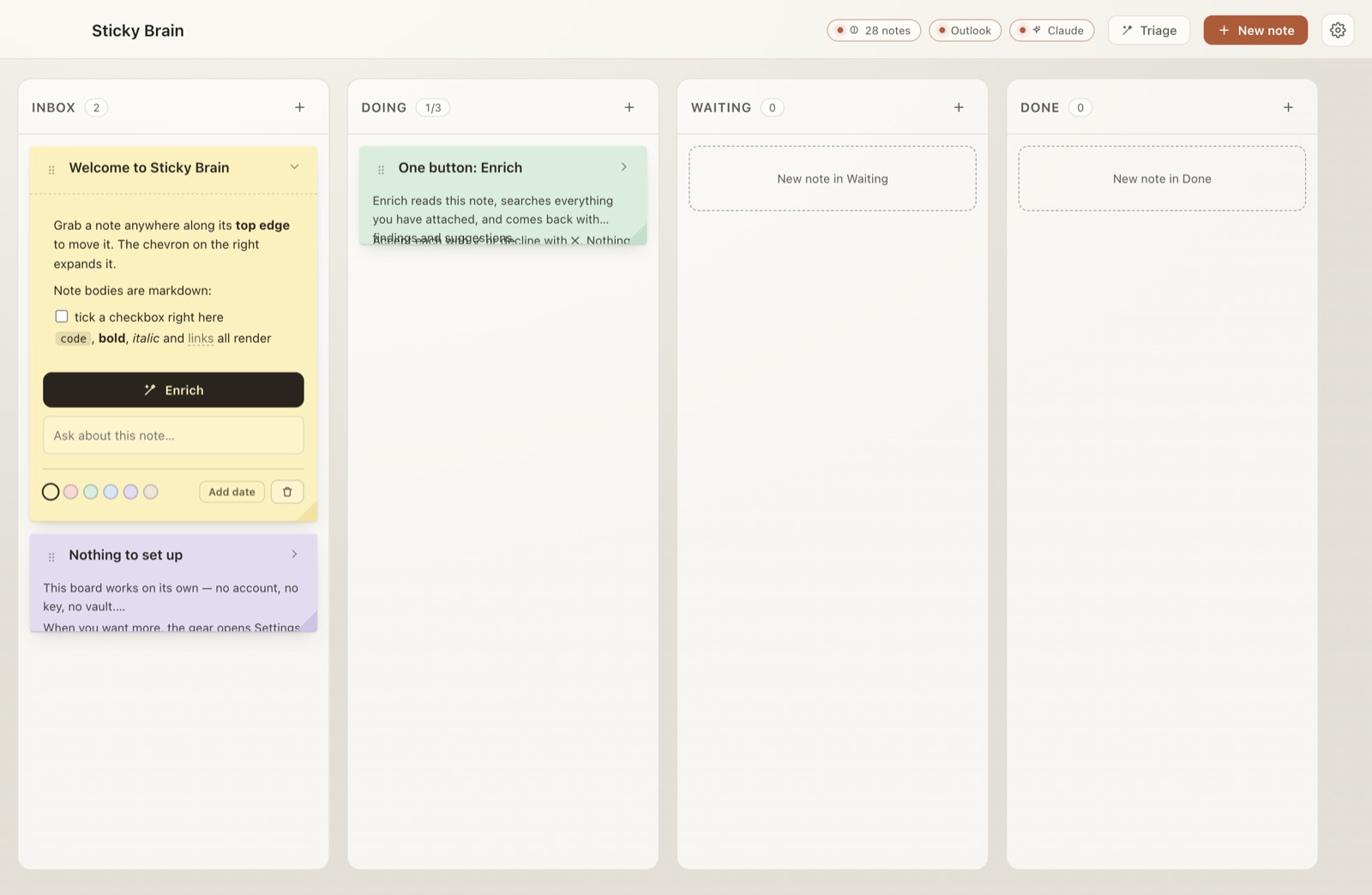
Works on its own
Open it and start writing. No sign-up, no vault, no key required. Every connection is optional and degrades honestly.
One button: Enrich
It reads the note, sweeps your vault and your mail, and comes back with findings and next steps. You accept or decline each one.
Stays on your Mac
The board is a file in your user folder. Claude runs with every tool disabled. Outlook is read locally on your machine — nothing leaves it.
Collapsed, it's a title and a few badges. Expanded, it's a workspace.
Notes lean, curl at the corner, and in the magical theme carry a wax seal. Grab one anywhere along its top edge to move it. The chevron opens it.
- Bodies are markdown. Headings, bold, code, fenced blocks, links and lists all render. Click to edit the source; click away to render.
- Checkboxes are real. Tick
- [ ]on the note and the underlying text updates. - Six pigments, four columns. Butter, rose, mint, sky, lilac, sand — across Inbox, Doing, Waiting and Done.
- Fully keyboard-operable. Pick a note up with Space, move it with the arrows, drop it.
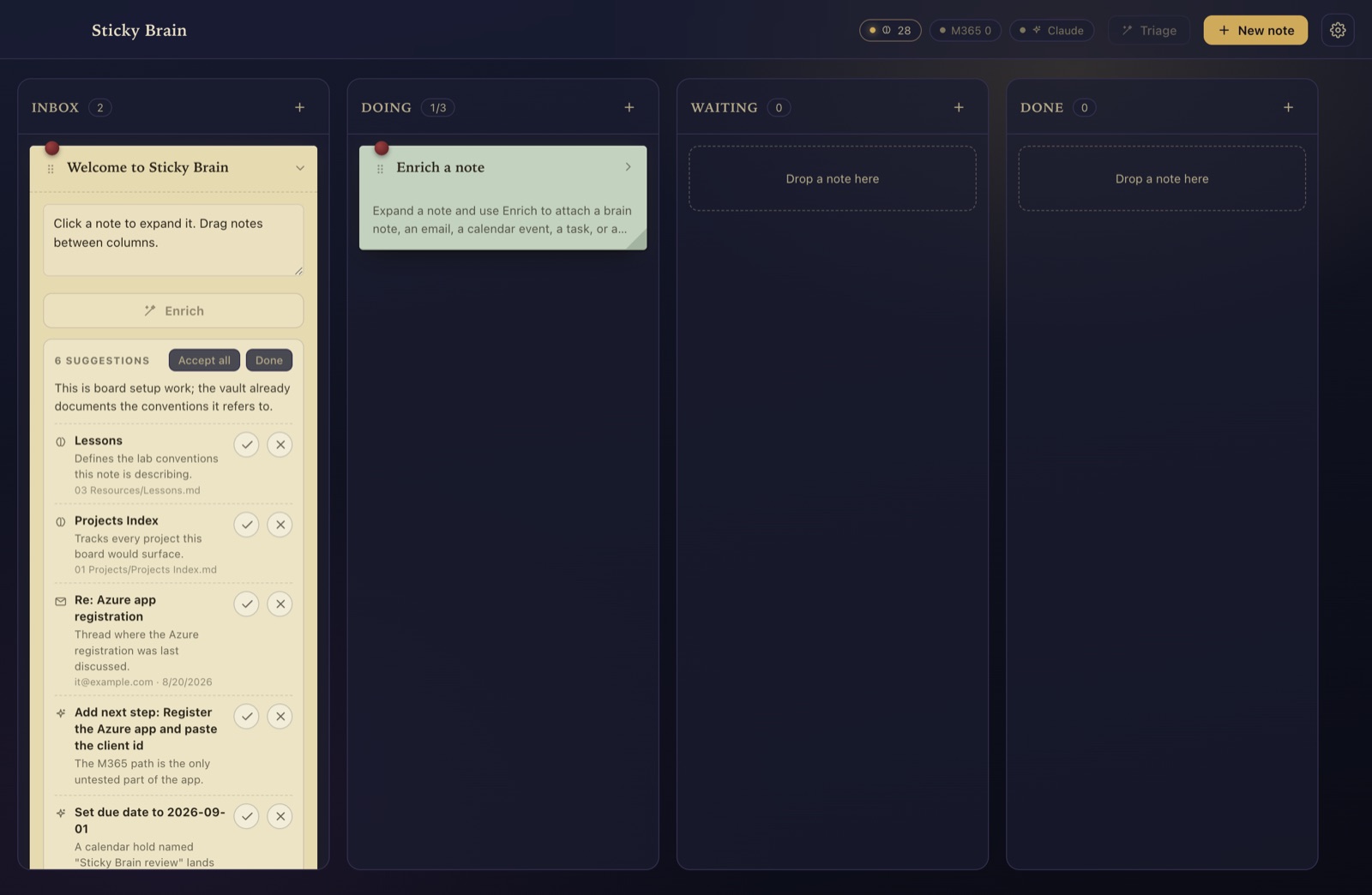
Press Enrich. One pass does all of it.
A note has exactly one content action. Nothing touches the note until you click ✓.
Search the vault
Your Obsidian notes are matched against the note's title, tags and body — locally.
Sweep your accounts
Mail, calendar and tasks from every Outlook account you're already signed into.
Ask Claude what matters
Back come findings worth attaching and recommendations — a next step, a due date, a tag, a column move — each with a one-line reason.
Claude can only propose things that exist
Findings are picked from a candidate list built by local search, and every id is re-checked against real data before it can reach the board. An invented path or column is dropped before you ever see it.
One failing source never fails the pass
If a source is unreachable it's reported as a problem and the rest of the pass still runs. Board-level Triage does the same accept-or-ignore dance across every note at once.
Cards can be real markdown files in Obsidian. Edits flow both ways.
Optional, off by default. Turn on Store notes as markdown files and each card becomes a note in a folder you choose — with frontmatter Dataview can read, and wikilinks that show up in your graph.
- An edit you make in Obsidian is never overwritten. Every write re-reads the file and compares it to what Sticky Brain last wrote. If it differs, the write is refused.
- Your frontmatter survives. Only Sticky Brain's keys are written. Yours — their order, quoting and comments — come through untouched.
- Nothing is ever deleted. Removing a card moves its file to the trash, or leaves it alone.
- A mass delete is refused. A diff that would remove more than five files pauses sync instead.
- Every operation is logged with before and after hashes.
- Both sides changed? The card shows a banner with three choices, and all three keep what's on disk.
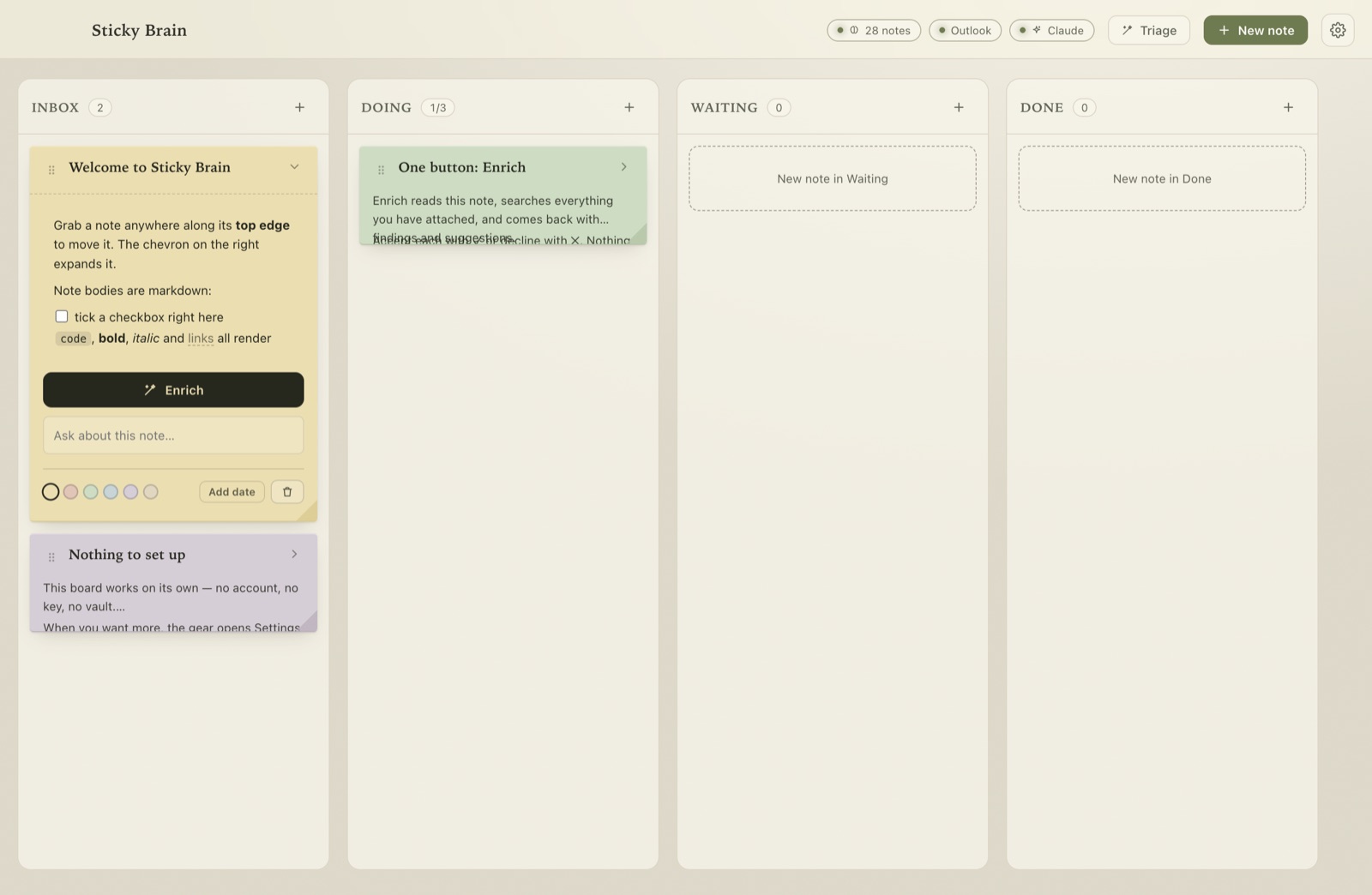
Wear it how you like.
Color and feel are two independent axes. Any of the four palettes wears any of the three feels. Pick one below — this page wears it too.
Paper on a desk. Notes lean, corners curl, everything close at hand. The default.
Linear and geometric. Nothing leans, nothing curls, square to the grid, with room to breathe.
Soft edges. Generous radii, a lazy lean, diffuse shadows, borderless columns.
Motion has its own switch: Animated or Still. Still isn't a slower animation — it collapses every duration and stops the motes. The OS "reduce motion" preference is honored independently.
Nothing to paste. Nothing billed. Nothing uploaded.
Sticky Brain talks to Claude through the claude CLI you're already signed into — and reads Microsoft 365 from the Outlook app on your Mac. No Azure registration, no tokens, no network of its own.
Claude runs with every tool disabled
Note text, vault content and email bodies are things you didn't write. Claude reads them in a scratch directory with no ability to run commands or touch files.
Outlook is read-only
Mail and calendar are read from the Outlook app on your machine — AppleScript on macOS, Outlook's own automation on Windows — from accounts you're already signed into. It cannot send mail or change your calendar. The OS asks once; you can revoke it any time.
Your board is a file
board.json lives in your user folder. Writes are atomic; an unreadable board is moved aside, never overwritten. Secrets go in the OS keychain (DPAPI on Windows) — never in the board.
Fully operable without a mouse.
Every note exposes a labeled move handle and an expand toggle. Focus is always visible.
Free. Open. Yours.
Sticky Brain is a locally built desktop app for macOS, Windows and Linux. Version 0.1.0 is free to download.
macOS 13+ on Apple silicon · Windows 10/11 x64 · Linux x64 (AppImage/.deb) · portable exe, SHA-256 checksums, and first-launch notes on the download page. Claude features use the claude CLI if installed; an API key works as a fallback.